
So, you’ve got a brilliant business idea, a solid product, and a website that’s ready to go. But when you look at your marketing materials—your business cards, those flyers you printed at home, or even your social media banners—do they scream "industry leader" or "I did this in five minutes while the kettle was boiling"?
At WeePrint, we’ve seen it all. We know that the leap from a digital design on your laptop to a physical product in a customer's hand is where the magic (or the mess) happens. Let’s chat about how professional graphic design and high-quality printing work together to actually put money in your till.
1. The "First Impression" Filter
We’ve all heard it: you have about three seconds to grab someone’s attention. In the world of print, that’s the time it takes for someone to pick up a flyer from a café counter or pull a business card out of their pocket.
I remember back when I first started out, I tried to save a few quid by designing my own logo using a basic word processor. I thought it looked "clean," but when I handed it to a potential collaborator, they actually asked if I was a hobbyist or a registered business. It was a proper gut-punch, but it taught me that if you don't look like you take yourself seriously, nobody else will either.
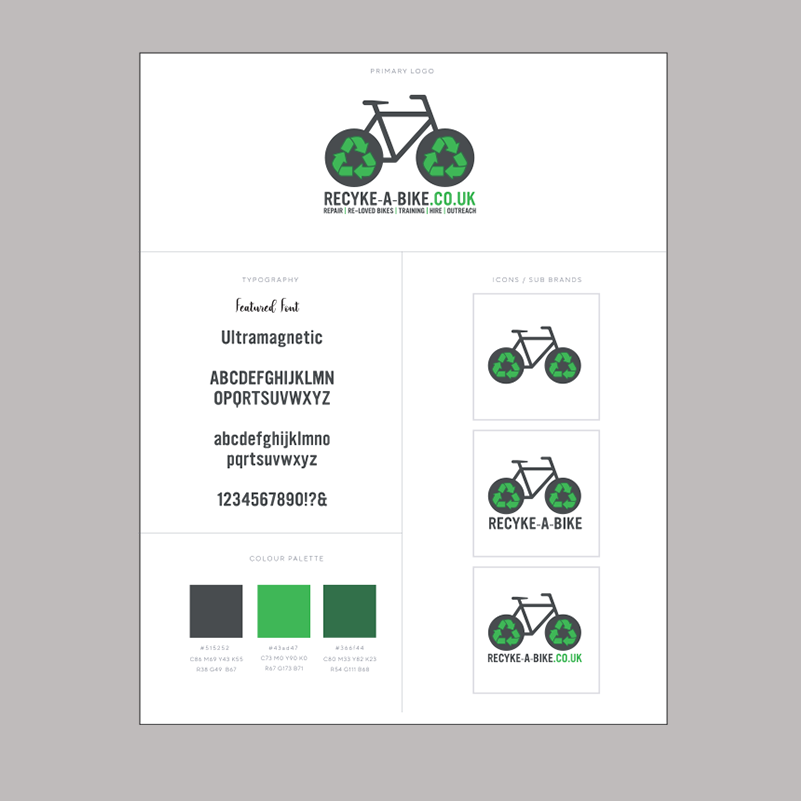
Professional graphic design ensures your brand identity is consistent. It’s about more than just a pretty logo; it’s about using the right hierarchy of information so the reader’s eye goes exactly where you want it to—usually straight to your "Call to Action."
2. Colour: The Language You Didn't Know You Were Speaking
Ever wondered why nearly every fast-food joint uses red and yellow? Or why banks love a sturdy, dependable blue? That’s colour psychology. A professional designer knows how to use palettes that evoke trust, excitement, or luxury.
Years ago, I worked with a local landscaper who insisted on using a bright, neon pink for his leaflets because it was his daughter’s favourite colour. We had to gently explain that while pink is lovely, it didn't exactly scream "rugged garden transformation." Once we switched to earthy greens and slate greys, his enquiry rate doubled overnight.
3. The Technical Bit: Why "DIY" Often Fails at the Printer
This is where things get tricky. You might create a masterpiece in a free online design tool, but if the resolution isn't right or you haven't accounted for "bleed" (that extra bit of design that gets trimmed off), your printed finish will look amateur.
-
Resolution: For print, you need 300dpi. Anything less and you get the dreaded "pixelated" look.
-
Vector vs. Raster: Your logo should be a vector so it stays crisp whether it's on a pen or a massive PVC banner.
-
CMYK vs. RGB: Screens use light (RGB), but printers use ink (CMYK). If you don't convert your files correctly, that vibrant cobalt blue on your screen might come out as a dull navy on paper.
4. Tactile Marketing: The Power of Touch
In a world that is increasingly digital, physical print has more power than ever. There is a psychological phenomenon called the "Endowment Effect"—when we hold something, we feel a sense of ownership over it.
A high-quality, thick-set business card with a soft-touch laminate or a spot UV finish feels premium. It tells the customer that you care about quality. When you invest in professional printing services, you aren't just buying paper; you’re buying a tangible representation of your brand's standards.
FREQUENTLY ASKED QUESTIONS (FAQ)
Q1: Why should I hire a graphic designer instead of using a free template?
Templates are used by thousands of other businesses, meaning your brand won't stand out. A professional designer creates a bespoke identity tailored to your specific audience, ensuring your marketing materials are functional, unique, and technically ready for high-quality printing without errors.
Q2: What is the difference between CMYK and RGB?
RGB (Red, Green, Blue) is the colour profile used for digital screens and light-emitting devices. CMYK (Cyan, Magenta, Yellow, Key/Black) is the standard for professional printing. Converting your designs to CMYK before sending them to a printer like WeePrint ensures the colours you see on screen closely match the finished physical product.
Q3: What does "bleed" mean in printing?
Bleed is the area of your design that goes beyond the edge of where the paper will be trimmed. By extending your background or images into the bleed area (usually 3mm), you ensure there are no unsightly white borders if the cutting blade shifts slightly during the finishing process.
Q4: Can you print from a low-resolution image found on the internet?
We strongly advise against it. Images from the web are usually 72dpi, which looks fine on a phone but blurry and "blocky" when printed. For a sharp, professional finish, your images and artwork should be high-resolution (300dpi) or vector-based.
Posted by By Jenny on 1st Jun 2026